Plotting graph using Gnuplot and $\LaTeX$

In general, a high-quality figure can be produced using these two software, which are Gnuplot and $\LaTeX$, and this can be done in three simple steps. Alternatively, one can also use Python3.5 and Matplotlib to generate such a high-quality figure, which is a much simpler way. But as the complexity of figure increases, the former method we have mentioned may have an advantage.

Firstly, we have to generate a data file for the plot using C++ program. This C++ program takes input values of the peak width and peak position of the Gaussian function.

#include <iostream> #include <sstream> #include <fstream> #include <cmath> #include <cstdlib> #include <map> #include <vector> #include <string> #include <algorithm> #include <stdlib.h> #include <stdio.h> #include <math.h> using namespace std; double g_p(double sigma,double mu,double x) { return (1/(sigma*pow(2*M_PI,0.5)))*exp(-0.5*((x-mu)/sigma)*((x-mu)/sigma)); } int main(int argc, char** argv) { double sigma=strtod(argv[1],NULL); double mu=strtod(argv[2],NULL); ofstream myfile; ostringstream conv; conv << "sigma-" << sigma << "-mu-" << mu << ".txt"; string first_file = conv.str(); const char *first_file2 = first_file.c_str(); myfile.open(first_file2); double g; double x; for(int i=0;i<1000;i=i+1) { x=-5+i*0.01; g=g_p(sigma,mu,x); myfile << x << "\t" << g << "\n"; } myfile.close(); }

Secondly, a script is written for Gnuplot in order to generate a .tex file.

set term epslatex color size 4in,3in set xrange [-5:5] set yrange [0:0.6] set ylabel '$g(x)$' set xlabel '$x$' set out 'plot.tex' set style line 1 lc rgb '#0000cc' lt 1 lw 2 pt 7 ps 0 set key inside right set key box set key spacing 2 plot "sigma-1-mu-0.txt" with linespoints ls 1 title "$\sigma^2$=1, $\mu$=0" set out

Finally, a figure in .pdf format is generated by executing the following code with Texmaker.
\documentclass[preview]{standalone} \usepackage[showframe]{geometry} \geometry{ paperwidth=4in, paperheight=3in, margin=0.1cm } \usepackage{graphicx} \begin{document} \begin{figure} \centering \input{plot.tex} \end{figure} \end{document}

If you do not like the figure in .pdf format, you can go ahead and execute the following command in the terminal.

convert -density 300 plot.pdf -quality 100 -flatten plot.png

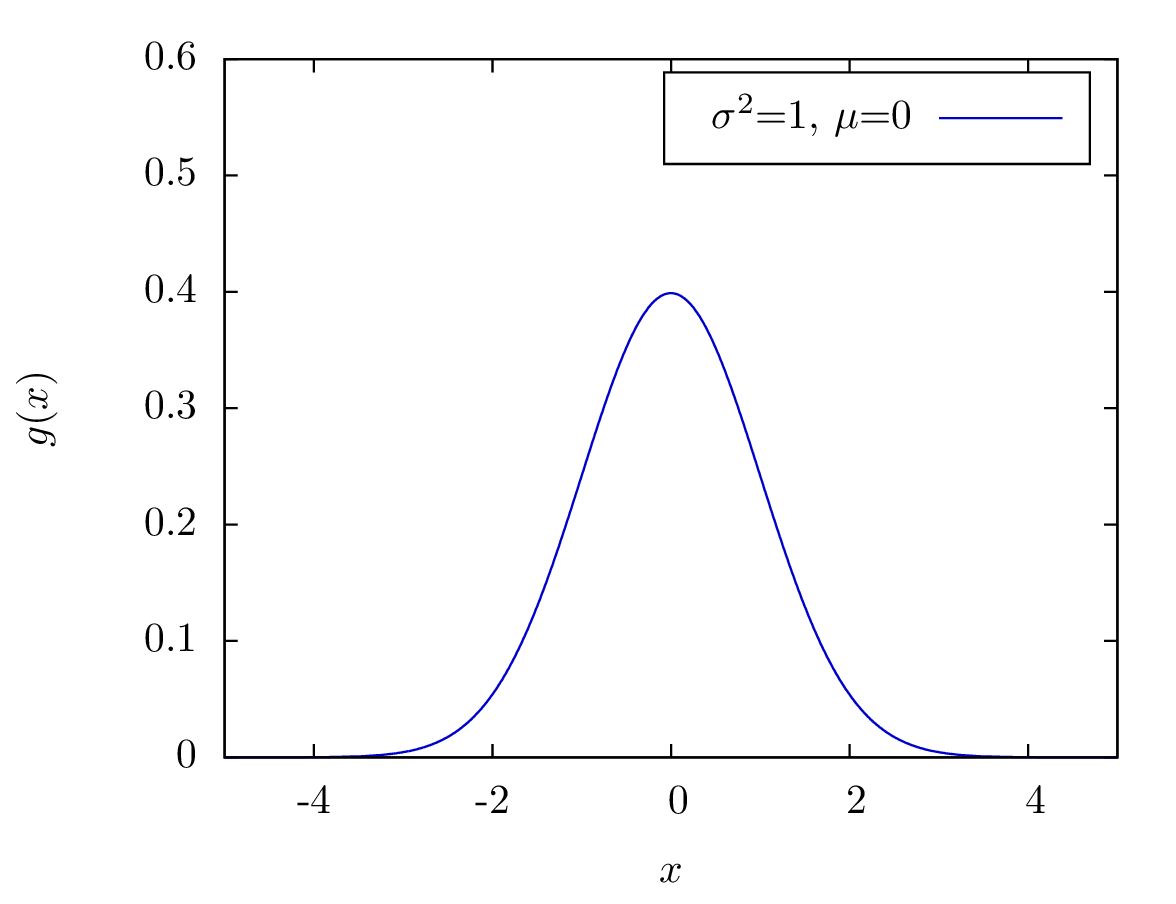
The figure is shown below, which has a high quality and can be used for publication in top scientific journal.

Figure 1: A Gaussian function with σ2=1 and μ=0.

Go back; Go back to Main Page